Overloaded with UnRead Gmail Email. Plus Tips & Tricks for a Better Inbox.
By Christopher Ramos
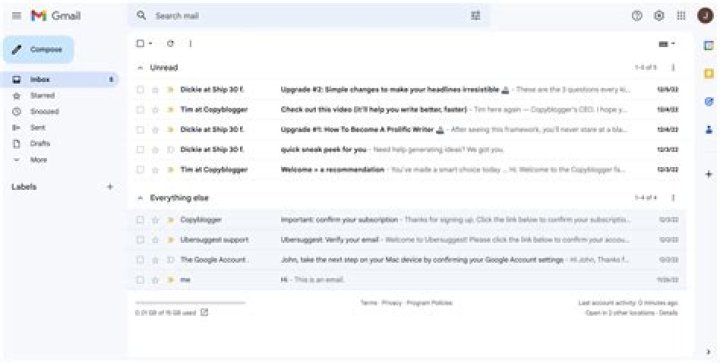
It seems like it only takes a day or two of not reading your legitimate mail and not deleting the spam (network emails and annoying newsletters), then you are behind on your email account. Soon enough you will have hundreds, if not thousands of unread emails in your account. It was just a few months ago that I had over 33,000 unread emails in my account. It wasn’t so much that I was too lazy to clean it up, but it was just a massive amount, and a lot of it was email I actually wanted to go back and read. Eventually I went to work and got my unread email down to a few thousand.
Yesterday I found myself in the same position again, my Gmail account was quickly loading up with unread emails and it was becoming a burden. Gmail has a lot of features, but some of them are not as easy to find. To manage your unread email better, it would be great if they had a tab that said “UnRead Email”, then it would list everything unread. Instead, you have to go to the search box and type in “label:unread“. This makes a world of a difference when cleaning up your Gmail inbox, as you can quickly delete what you have no interest in, then respond to any emails you may have forgotten to respond to.
Another way to help clean up your email account is to simply setup folders and filtering. Every day I am getting a load of network emails telling what new offers are available and what I should be promoted. The majority of these are trash which just take up time. Filter your newsletter subscriptions and network mailings into specific filters so they don’t flood out your important emails.
While Gmail may not put “everything” in your face for easy management of your account (like reading only unread email), the capabilities and features are they. While looking over new ways to better manage my Gmail account, I came across a few cool sites that really helps in how to use Gmail better. Be sure to check the following sites out.
– Gmail Hacks: 35 Tips & Tricks for Gmail
– Gmail Tips: The Complete Collection
– Gmail Keyword Shortcuts
– 15 Awesome Gmail Tips and Tricks
All of us are using email, and it’s a crucial part to the success of our business. If your inbox is managed only 25% better, think about how much time and less stress you would be saving yourself on a daily basis.